Digital twin · Simulation

See what your factory is doing right now, on one screen.

The digital twin runs on your machines’ own data: stops, OEE and energy, as they happen. If you are planning a new line, the model is built in simulation first, and once the line is running your live twin is built from the same layout.

01 · Machine

What is this machine doing right now?

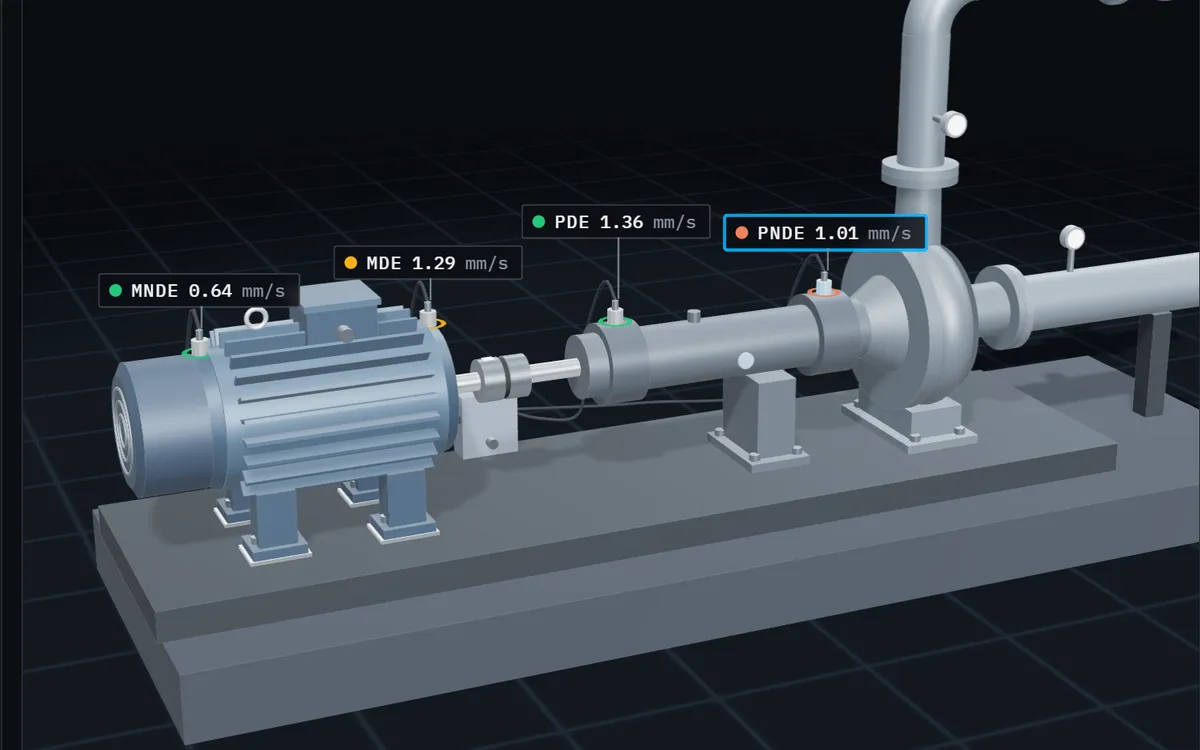
The twin shows, as it happens, whether each machine is running, what it is making and why it stopped. The data comes from the machine's own controls; nobody types it in.

What we do

We connect to the systems you already have: PLC, SCADA, MES or ERP.

02 · Cell

Where is the time going?

A cycle is split into its phases and compared with the plan, so you see which step the loss builds up in and which measurement comes with it.

Example · Cell 07
What we do

We agree with your team what counts as a stop and what counts as a loss.

03 · Hall

What needs attention first?

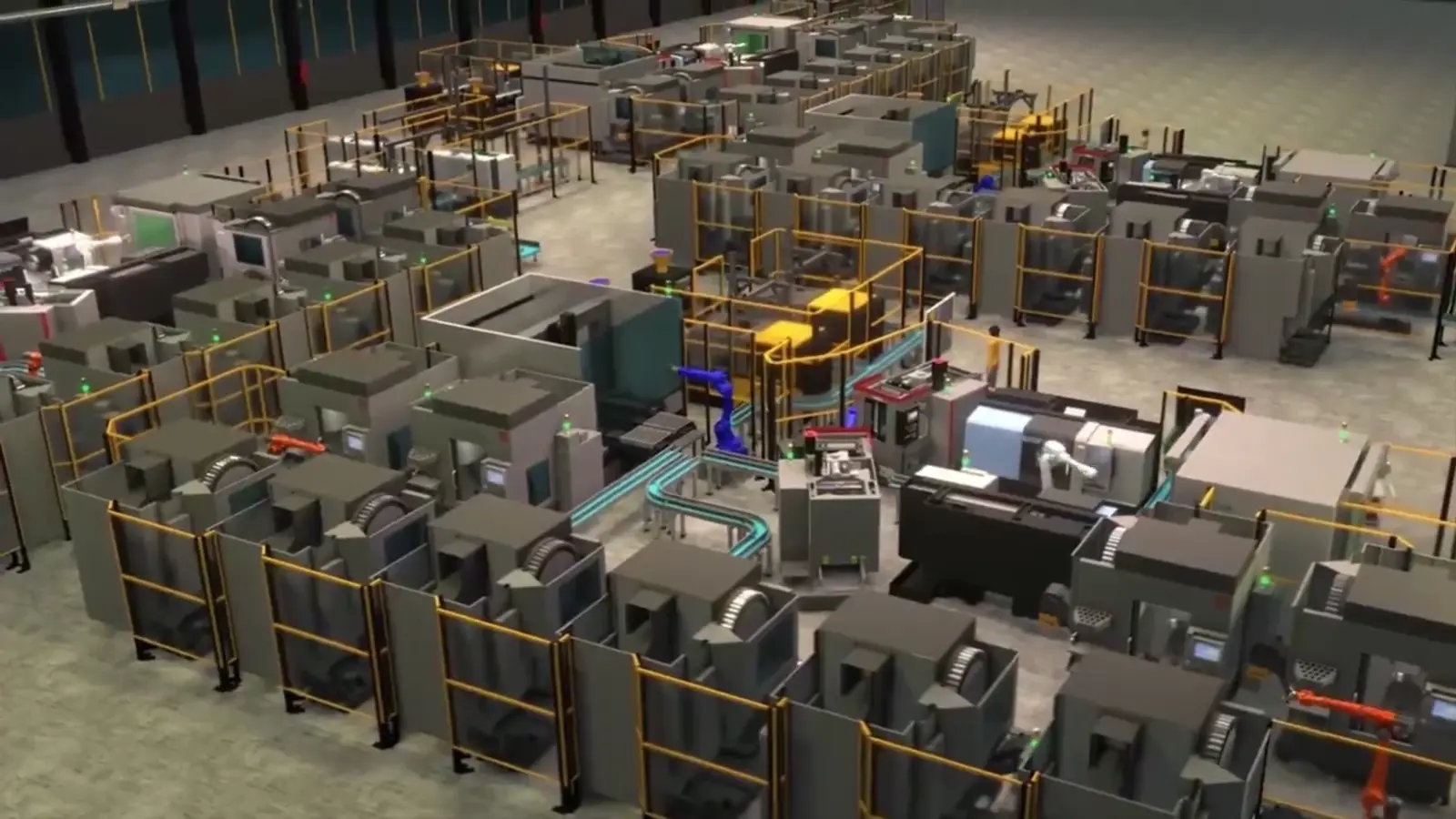
Every line sits side by side on one screen. A stopped machine turns red; a slow line shows on its label. The shift supervisor sees the priority before walking the floor.

What we do

We build the scene from your own layout, with your own machine names.

04 · New line

Will the new line work before it is built?

The same model works for a line or plant that does not exist yet. Layout, capacity and material flow are tried in simulation before the investment decision.

What we do

As the Visual Components distributor, we build the simulation. Once the line is running, we build your live twin from the same layout.

05 · Site

How is the whole site doing?

Production halls, the warehouse, shipping and the utilities sit together in one model. Each area's data, from output to energy use, comes together at site level.

What we do

We add the areas beyond production to the scene and connect them to the systems behind them.

06 · Screens

Is everyone looking at the same thing?

The plant's data travels over a secure connection to the server, and from there to the desktop app, to phones and to the daily report email. Management and the shift look at the same model and the same data.

What we do

We set it up in the cloud or on your own servers, and train your team.

FIELD WIDTH
0m
Example: die-casting cell

Try them in your browser

All demos →

From simulation to live twin

The layout we build before the investment becomes the base of your live twin.

We are the Visual Components distributor for Turkey and have run more than 100 factory simulation projects since 2016. Once the line is built you do not redraw anything: we build the live twin from the same layout.

Visual Components · Robot cell simulation

Our products

OnoTwin Studio watches the line you run. For simulating a line before you build it and for training the team, there are these three.

All products →

The organisations we work with

2016founded 100+factory simulation projects 80+licensed customers 7+sectors

  • Toyota logo
  • Ford Otosan logo
  • Mercedes-Benz logo
  • Arçelik logo
  • Vestel logo
  • Unilever logo
  • Nestlé logo
  • Novartis logo
  • Eczacıbaşı logo
  • Petrol Ofisi logo
  • Hyundai Assan logo
  • Mitsubishi Electric logo
  • KUKA logo
  • Omron logo
  • Coşkunöz Metal Form logo
  • San Metal logo
All references →

How a project runs

  1. DiscoveryWe look at your line and the systems you use together, and decide with you what to monitor.
  2. ModelWe build the scene from your own layout, with your own machine names. If we ran a simulation project for you, we start from that layout.
  3. ConnectionWe connect to your PLC, SCADA, MES or ERP, and agree with your team what counts as a stop and what counts as a loss.
  4. Daily useWe train your team. The twin runs in the desktop app, on phones and in the daily report email.

Let’s build your factory’s twin together.

Tell us about your current setup; we’ll pin down where to start in the first conversation.

LET’S TALK